Pages

Tuesday, December 05, 2006

Snap: Take A Peek Before Visiting Any Links

Snap Preview Anywhere displays a preview of ANY site that is linked to from your page. Your site visitors can now visually decide whether a site is worth visiting before actually clicking the link to go there.


Feature Highlights
  • High Quality Preview Images
  • Instant Feedback and Response
  • Largest Library of Site Previews
  • Simple Sign-up Process
  • No Maintenance Required
  • Snap Search Box
  • It's FREE
If you're trying to plug the javascript generated by Snap into the Blogger Beta (v3.0), you might having difficulty to save it. Just omit the "defer" from the code "javascript defer id=" and save it.

Blogger Beta Hack : Peek-A-Boo Navbar

Originally posted in Bloggeratto, this piece of code will make your blogger Navbar remain hidden but when you move the cursor on it it will slide down but this is only fully supported on Firefox, Iceweasel(linux),Flock, MZS6,Netscape, Safari & camino(linux).

Just add this 2 lines code in the CSS right before the "body {"

#navbar-iframe{opacity:0.0;filter:alpha(Opacity=0)}
#navbar-iframe:hover{opacity:1.0;filter:alpha(Opacity=100, FinishedOpacity=100)}


There are many other hacks available out there and on my mind that I would like to try out but I'm not in a hurry here.

Monday, December 04, 2006

ASCII Art - Generator

I believe any BBS user or perhaps you might even received email from your friends sending out this ASCII picture once awhile. Nowadays there are many ASCII converter available on the internet with so much of variation. Text to ASCII image, jpeg image to ASCII image and so on.

But the most amazing ASCII image I ever saw was a portrait created by Guruprasad Vanalkar. He creates an amazingly accurate, life-sized, colored portrait of Dean Cain on a typewriter for "Believe it or not" TV shows.

Anyway, here are a few ASCII sample of converter.

- Text-Image.com (Web Based)
- ASCII Generator Software v 0.6.8
- ASCII Art Generator (Web Based)

Heck I can give 700k ++ list, well you know where to find more.

Pluging out the Pluck


Pluck is pulling out their RSS feed reader from their product line. Too bad I was just about to use it. Here is some of the announcement.


Pluck RSS Reader Shut Down Notice

Consumer RSS reader services will be discontinued January 5, 2007.

All versions of Pluck's RSS readers for Internet Explorer, FireFox and Pluck's web edition will be discontinued on 1/5/2007. The RSS Readers have served our community of end users well for several years, but with Pluck's focus in other business areas, the venerable RSS readers are set to be retired from our product line.

Over the next two months, you will have the opportunity to export your RSS feed subscriptions to other RSS readers of your choosing.

Please see the instructions on this page for details on how to export your subscriptions and bookmarks (Windows only) for use in other readers.

Read the full announcement.

JsCalendar - Déjà vu

When I first saw it, I thought I've seen this before. Well I did but in this version, the JavaScript Calendar add some extra punch including time and keyboard functionality.

Supported browsers

» Internet Explorer 5.0+ for Windows
» Mozilla, Netscape 7.x, Mozilla FireFox (any platform)
» Other Gecko-based browsers (any platform)
» Konqueror 3.2+ for Linux and Apple Safari for Macintosh
» Opera 7+ (any platform)

Features

» The look is customizable through external CSS
» High quality color themes
» Keyboard navigation
» Can show days from adjacent months
» Can show week numbers
» Translated into many languages
» Any day can be “the first day of week”
» The default “first day of week” can be configured in the language file
» One can easily jump back or forward with 24 years
» Provides help hints (also configurable)
» Includes an optional time selector with 1 minute resolution
» Special days (configurable list of days that are displayed differently)
» Allows multiple days selection
» Fast and very easy to setup

Take a look at the demo page. Enjoy

Relay - file and directory management

I love small apps. Most of the time it is just a straight forward function with minimum effort. While searching for the AJAX version of file and directory management, I found Relay. Develop by Chris Iufer, this is a free distribution piece of software.
We are freely distributing the software open-source. So we hope it comes in handy to all those readers of yours who were begging to get their hands on a copy of it. The project is launching as a public Beta, and we hope that the community will really help us make this thing stellar. Were positioning it as a better way to manage your site files for things like blogs or personal homepages, and to transfer files between artists and their clients.
Features
  • drag-n-drop files and folders
  • dynamic loading file structure
  • upload progress bar
  • thumbnail view, including pdf
  • multiple users & accounts with basic administration
And here is the scripts for your own pleasure. Enjoy

Tuesday, November 28, 2006

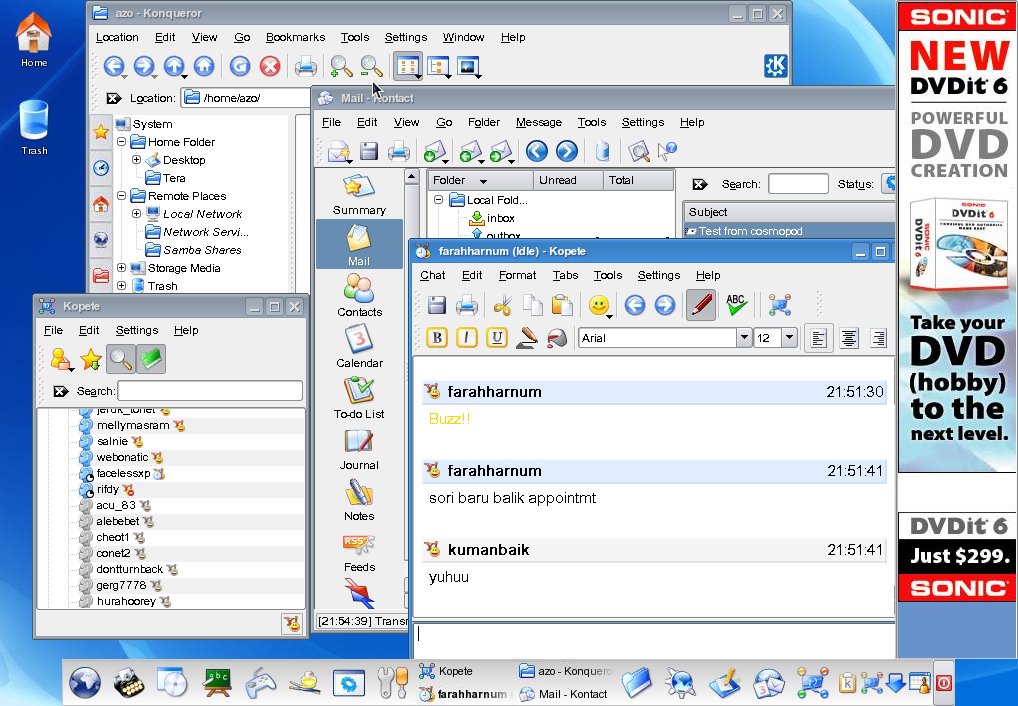
CosmoPOD - The Ultimate Online Desktop

I had a dream that someday I no longer need to buy any computer or notebook what so ever. I just need to go to any FREE client terminal all around the world to access my online desktop where I can do my daily routine and job. Impossible? Maybe I don't have to dream anymore because CosmoPOD has it all, well almost.

Back to my dream, the advantages of having the online desktop are:
  • no hardware maintenance
  • don't have to worry about virus / spam / malware / spyware
  • no need to worry about compatibility, patches and upgrade because all software and hardware is taken care of by the service provider.
  • no need to reinstall everything each time I use any different PC. e.g YM messenger, etc.
  • insanely flexible and mobile: I just need a browser with internet anywhere in the world and TADA!!
And of course there are disadvantages
  • what happen if there is no internet? Sigh!
  • hardware getting more expensive because there is no demand anymore
  • business related to personal computer collapsed, or maybe we don't have to use money anymore at that time
Anyway CosmoPOD allows you to run a remote Linux PC from your desktop without having to actually install a Linux operating system. Once inside your new CosmoPOD desktop, you will have access to dozens of free or open source applications. There are two types of accounts, FREE and premium account. For the FREE account you will get 50+ applications running on your desktop with 1 GB storage. For the premium account you will get 100+ application, 3GB storage, write/download and run software and many more goodies.

CosmoPOD team taking a sweet time on developing this AJAX based desktop because they know that they are already ahead of the game. They said that many AJAX proponents already exist in a mature stage on Linux, so why go reimplement them from scratch?

If you are new to Linux OS, maybe you want to try out the free account first so that you can get the feel. As for me I don't care what OS or software to play around as long as it deliver the way I want it to be.

Pantun

While waiting for someone today, I browsed through my SMS list and struck with 2 messages which had "pantun" sent by my wife. It reminds me how busy I was while working with CAT.

If you are wondering what is "pantun" is all about, well in Wikipedia definition: The Pantun is a Malay poetic form. The pantun originated as an oral literary form of expression traditionally used among the Malays. Pantun had been in its current form since 15th century at the latest, based on Malay manuscripts written within this period.

And here is the "pantun" SMS I had:

Alif main pikul beban
Muaz main sepak-sepak
Ayam pun dah balik reban
Awak bila nak balik pulak?

and on the other day

Alif pesan beli mi Maggi
Muaz pesan Pizza Hut
Pukul berapa awak balik ni?
Apa lagi balik la cepat!

Yesterday, while reading a funny answer paper for history subject from one of the St Francis Institution's student, I read his finishing touch. This kid, I believe his name is Thye Yong Lun wrote:

Berjalan-jalan di tepi muara
Hendak mencari anak dara
Kalau nak cari anak dara
Di tepi muaralah

Nice one :D

Monday, November 20, 2006

Sitemap Protocol - Microsoft & Yahoo Joint Support

Google Sitemap is now getting support from Microsoft & Yahoo. They have moved to a new name space called www.sitemaps.org with now version 0.9.

In case you are new to site map, using a site map not only makes it easy for your users to see the entire structure of your website, but it also makes it easier for the search engines to spider your site.When the search engine spiders come to visit, they will follow all of the text links from your main index page. If one of those links is to a site map, then the spiders will go right to the sitemap, and consequently visit every page you have text linked to from that site map.

Let examine a sample of valid sitemap protocol

<blockquote><?xml version="1.0" encoding="UTF-8"?>
<urlset xmlns="http://www.sitemaps.org/schemas/sitemap/0.9">
<url>
<loc>http://www.example.com/</loc>
<lastmod>2005-01-01</lastmod>
<changefreq>monthly</changefreq>
<priority>0.8</priority>
</url>
</urlset></blockquote>


Easy stuff

Monday, November 13, 2006

SEO - How Does Your Site Score?

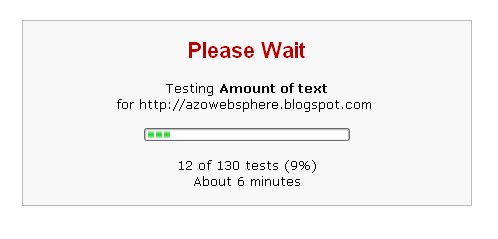
I found a cool tool called Sitescore. This is a free check-up on how well your site stacks up in search engine ranking and offers you tips on how you can make your site easier to find by the search engines most frequently used by the general public.

I really like the final report. It shows the overall summary consists of Marketing, Design, Accessibility, Experience and Visitor Ranking of your website. The report also shows all the good or bad points complete with breakdown descriptions and suggestions.

The generated reports for each domain will be cached. You need to sign-up (it's free) to re-generate report for the same domain.

Unbelievably my blog scores 7.1 out of 10. So how's yours?

Thursday, November 09, 2006

Blogger Beta Hack - Expandable post entry

This is a very useful hack. The purpose of this hack is to display only the summary of your full article / story on the main page. When reader click the "read more" it shows the full article on the next page.

To me it is so important and I hope that Blogger Beta should add this feature ASAP, but I simply just can't wait. I've done it in previous Blogger build, so I look around and I found a Blogger user that dedicate himself to hack Blogger. Thanks Ramani (I think he is from India).

Anyway here are the steps.

  1. 1. Search for "post-header-line" to find this portion of code in your template and add the lines in as shown below.

    <div class='post-header-line-1'/>
    <div class='post-body'>
    <b:if cond='data:blog.pageType == "item"'>
    <style>.fullpost{display:inline;}</style>
    <p><data:post.body/></p>
    <b:else/>
    <style>.fullpost{display:none;}</style>
    <p><data:post.body/></p>
    <a expr:href='data:post.url'>Read More......</a>
    </b:if>
    <div style='clear: both;'/> <!-- clear for photos floats --> </div>

  2. (optional step) Goto Settings->Formatting. At the bottom, you will find the text box provided to specify the "Post template". Copy/paste these lines into that text box and save the settings.
    Type your summary here

    <span class="fullpost">
    Type rest of the post here
    </span>
Voila, now every time you want to create a post, "Type your summary here" and "Type rest of the post here" will be display. Just replace it with your entry.

With all the fuss you will be rewarded with at least double page views in your blog stats. Just make sure you don't reveal everything in the blurb.

Monday, November 06, 2006

Bright Future for Adobe Apollo


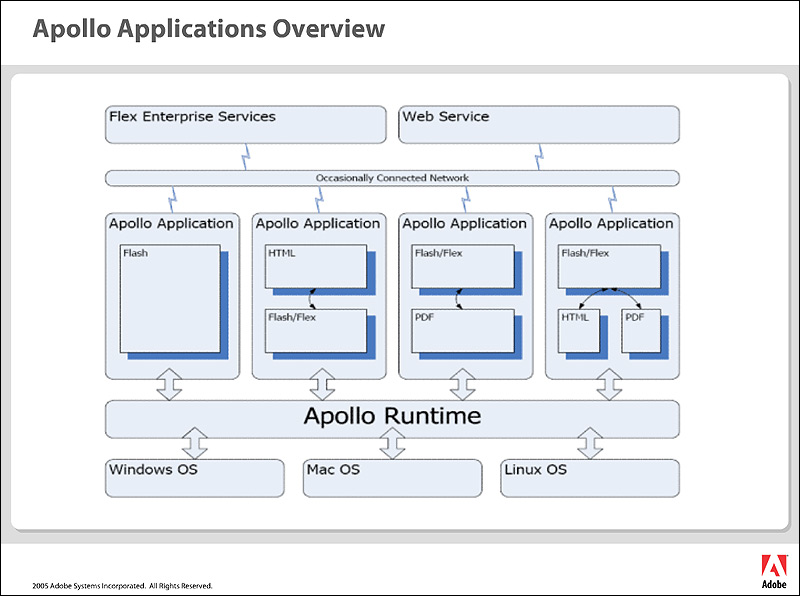
In case you haven't heard of this, Apollo is the code name for a cross-operating system runtime (like Flash itself) being developed by Adobe that allows developers to leverage their existing web development skills (Flash, Flex, HTML, JavaScript, Ajax) to build and deploy Rich Internet Applications (RIAs) to the desktop. It's due to release on Adobe Labs in early 2007.

The idea is that developers will be able to bring their web applications off line and take advantage of things a desktop application can do like drag and drop file, etc. Despite that, Apollo will be running on a cross platform machine like PCs, Macs and Linux.

Bringing visual rich content like Flash isn't new. Macromedia started it with Macromedia Central. Central acted as an application manager and Flash applications written for Central ran inside a Central desktop client instead of as separate applications, the model Apollo uses now. Some said that developing apps with Central was a nightmare. I don't really know because I never touch Macromedia Central before, but later Macromedia Flex (now Adobe Flex) has made writing applications in Flash much more simple. In fact, Apollo wouldn't have been possible without the Flex framework.

I heard that the AJAX support in Appolo will make AJAX development much more easier. Currently AJAX developers need to deal with a variety of different browsers and that requires extra time and cost. But since Apollo is a cross platform itself, so you can ditch the hacking process as you are now dealing with RIA desktops. You can just port your current Ajax application to Apollo with almost no code changes.

In conclusion, Apollo seems uniquely positioned to open the world of desktop application development to the average web developer, so that should spur the development of a lot of new apps. It's up to the developer to create applications that make people's lives better and that are easy enough for the average user. So keep on refreshing the Adobe Lab.

Friday, November 03, 2006

Reciprocal Link - Find Out How Deep The Bunny's Hole Goes

Photo by lottuh1977

What the heck is a reciprocal link?

A reciprocal link is a text and/or banner link to a site that, somewhere in its pages, carries a similar text/banner link to your own site. Easier word - a link back to your website.

Some benefit of reciprocal linking :
  1. Increase Your Website Traffic
  2. Increase Page Rank in Search Engines
  3. Offer Your Website Visitors Valuable Resources
Some says that reciprocal links are losing their value or even Google discredited all type of reciprocal linking. Many said that to overcome this, choose sites relevant to the subject of your site and trade/beg/ask permission to put your link there.

I say let's create an experiment which I would like to call it "How Deep The Bunny's Hole Goes". The objective of this experiment is to analyze how reciprocal affects your website traffic and page rank.

It's a simple experiment, make it fun like playing a tag game. Copy the following script and post to any website, blog of your friend or what so ever.

You were tag no ### by <a href="http://azowebsphere.blogspot.com">Your site name & link</a>. You may tag to others too.
Find out more at <a href="http://azowebsphere.blogspot.com/2006/11/reciprocal-link-find-out-how-deep.html">How Deep The Bunny's Hole Goes Experiment</a>.

Replace the ### with total no of tag that you have create and of course your site / blog name with your own link. To make it effective, install a Google Analytic script before you start.

Let's share how much you website / blog gain out of this experiment.

Thursday, November 02, 2006

AJAX Edit-In-Place - Flickr Style

If you have ever use Fickr, you might be wondering how on earth they can save the title and description by simply hovering on the elements without reloading the whole page.

With this feature you can imagine how many page load you can save or at least it can impress your friends or boss :D

Ok basically it has two components, the user interface manipulation and the AJAX call itself. This AJAX uses Prototype,a JavaScript Framework.

I uploaded a working source codes so that you can test it on your own.

Happy programming.

Wednesday, November 01, 2006

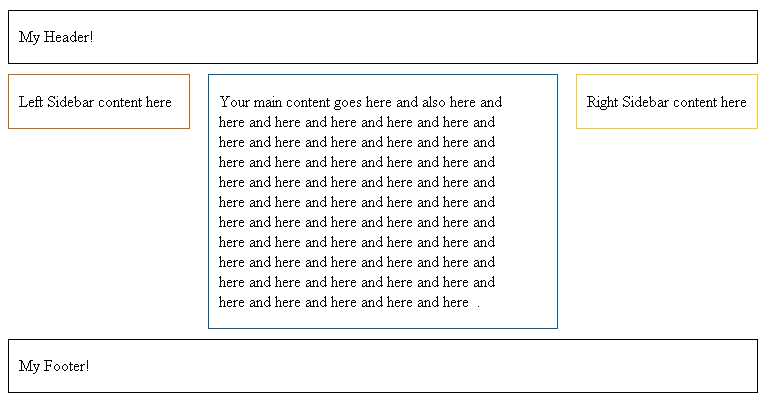
CSS Layout - Back to basic


For the past 5 years I created numerous of websites, some are simple, others cause me restless night and part of the job may require CSS layout design. It sounds not so important, unfortunately it does. For the past few years, SEO has become part of the design requirement and it helps a lot on pushing the content and boost the page rank.

Instead of starting out with blank CSS and HTML documents every time you need to build a layout, you can create a bunch of layout templates as it will give you a solid basis for creating the rest of the design.

You can create 2 column layout, 3 column layout, centered, fixed and others. You may explore other possibility from this CSS website.

These templates can be really basic, in fact that is exactly what you want as the final design. The fonts, the colours and so on will be different every time. It’s just the main sections we want to be able to quickly get into place.

As for example, here is a sample of my most common CSS layout:

1. The HTML page
2. The CSS file

Since I can't find a way to post the source code in this Blogger entry, I make you life easier by posting a zip file using the online storage service by esnips.